Chaos Handled.
Get it out of your head. Threadlist sorts it out.
Free to start. Web and Chrome today. iPhone coming soon.
Type it. We'll sort the mess.
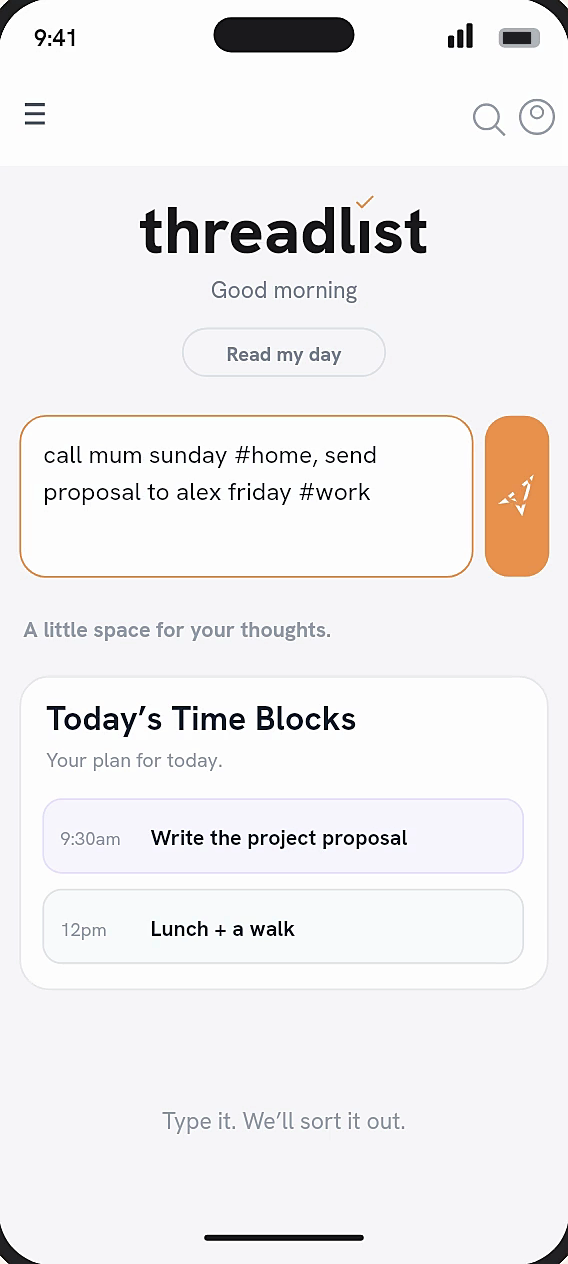
- Brain dump. Don't think, just get the thought into Threadlist.
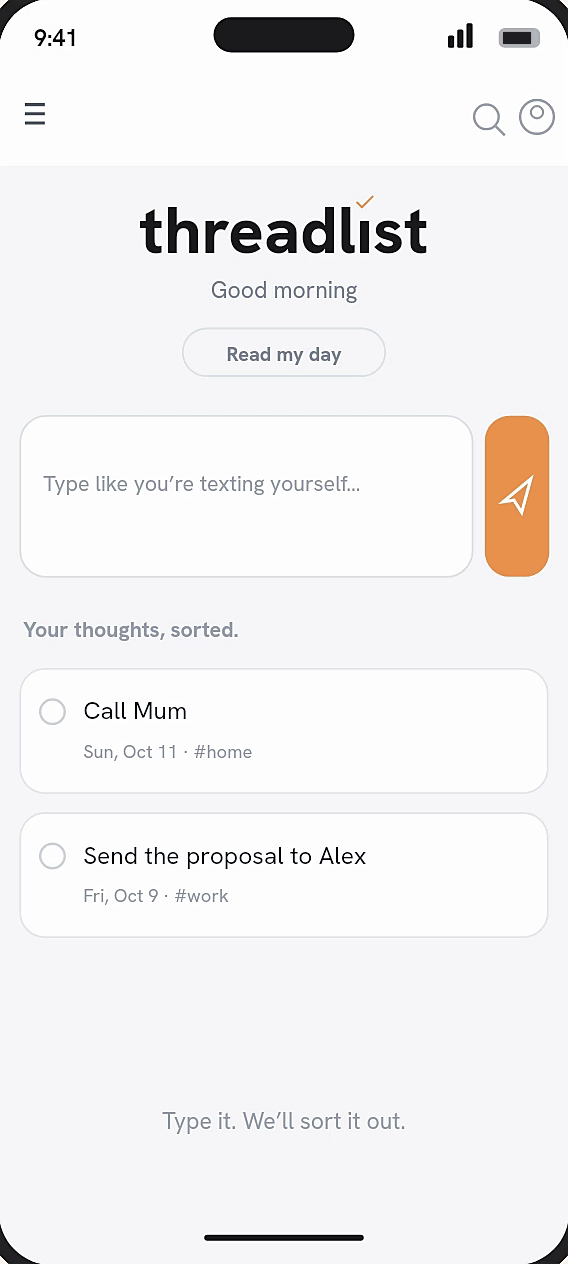
- It sorts itself. Put several #threads in one dump. Every task files itself into its thread.
- Duplicate tasks? We find them for you.
You type: send the proposal to alex friday #work
- When Friday
- Who Alex
- Thread #work
Your words stay exactly as you typed them.
Home
Threads
Group tasks by project and theme.
Add a #hashtag and related tasks gather in one place.
- 1Start a thread. Type a new #hashtag and tap Add. The thread appears with your task in it.
- 2Keep adding. Use the same #hashtag and the task lands there. Threadlist suggests threads for related work, too.
Threads
Plan your day
A to-do list that knows you have a life.
Plan your day, week and month in blocks, down to the minute. A list tells you what to do. A block tells you when.
- 1Time blocks. Give your non-negotiables a set time. Repeat them weekly or do them once, and change one day without touching the rest.
- 2Calendar clashes. Connect your Google calendars and spot the clash before your day gets away from you. Threadlist only sees when you're busy.
- 3Focus timer. Set aside a stretch of time for one project. When it's up, a soft chord swells in to let you know.
Time blocks
The warm chord
AC♯EAB A major, swelling in and fading out over three seconds
Track your time
Where did today go? Now you know.
Run one timer or several, each tied to a #thread. Your meetings can count too, and a report adds it all up.
- 1Timers. Type what you're working on with a #thread and tap Start. Run several at once, pause any of them, and fix a late start.
- 2Meetings count too. With a calendar connected, tap Count it to add a meeting to your time.
- 3Reports. Add up any date range by thread or by day. Copy a summary, export a CSV or send it to Slack.
Timers
Goals and Journal
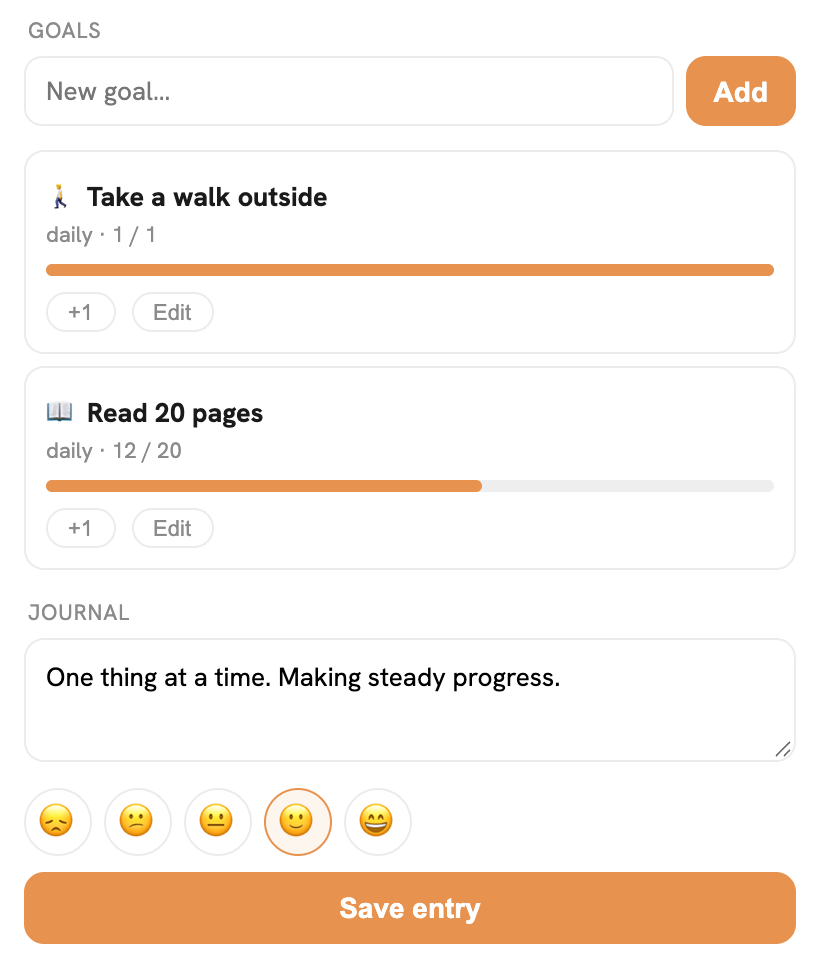
Keep a goal. Clear your head.
A simple place for your goals and your thoughts, with nothing else in the way.
- 1Goals. Pick a goal and log it with one tap.
- 2Journal. When something's on your mind, write it down.
Goals
Capture from anywhere
Save it from anywhere. Find it in one list.
One account works everywhere. Sign in with email, Google, or Apple.
- 1Chrome. Highlight text and right-click to add it, or save the whole page to #forlater. The side panel keeps your day next to whatever you're reading.
- 2Siri. When your hands are busy, say the task out loud. It lands on your list, even with the app closed. iPhone, coming soon
- 3Slack. Type /tl, react with 📥, use the message shortcut or DM the Threadlist bot. beta
- 4Import. Moving from Todoist, TickTick or Things takes a simple export and import. We'll sort everything for you.
Chrome
FAQs
Is it free?
Yes. Threadlist is free to start.
Does it work on iPhone?
The iPhone app is coming soon to the App Store. Meanwhile, use the web app in Safari at app.threadlistlabs.com.
Does the AI change my tasks?
It tidies dates and threads. It keeps your wording and never merges or deletes anything on its own.
Can it see my calendar events?
Only when you're busy, unless you choose to share titles.
Can I bring my tasks from another app?
Yes. Import a CSV from Todoist, TickTick or Things.
How do I get help?
Email support@threadlistlabs.com or visit the support page.
Clarity, in one list.
You have enough tools already. Put every thought in one place so you can get things done.